Flow monitoring, data retention, threat intelligence, vulnerability scanning and NIS2 reporting run on a single platform. Stop an attack at your upstream with RTBH, and have the regulator's report pre-filled before you start writing it.
A typical ISP runs five separate tools, five licences and five places to look for context. Every additional system adds complexity, integration cost and the risk that something falls between them.
Its own collector, its own database, its own licence.
A legal obligation handled by yet another system and yet another storage tier.
Feeds downloaded somewhere and evaluated somewhere else — not where the flows are.
Another tool, another console, another report nobody connects to network operations.
Spreadsheets, shared documents and deadlines tracked by hand.
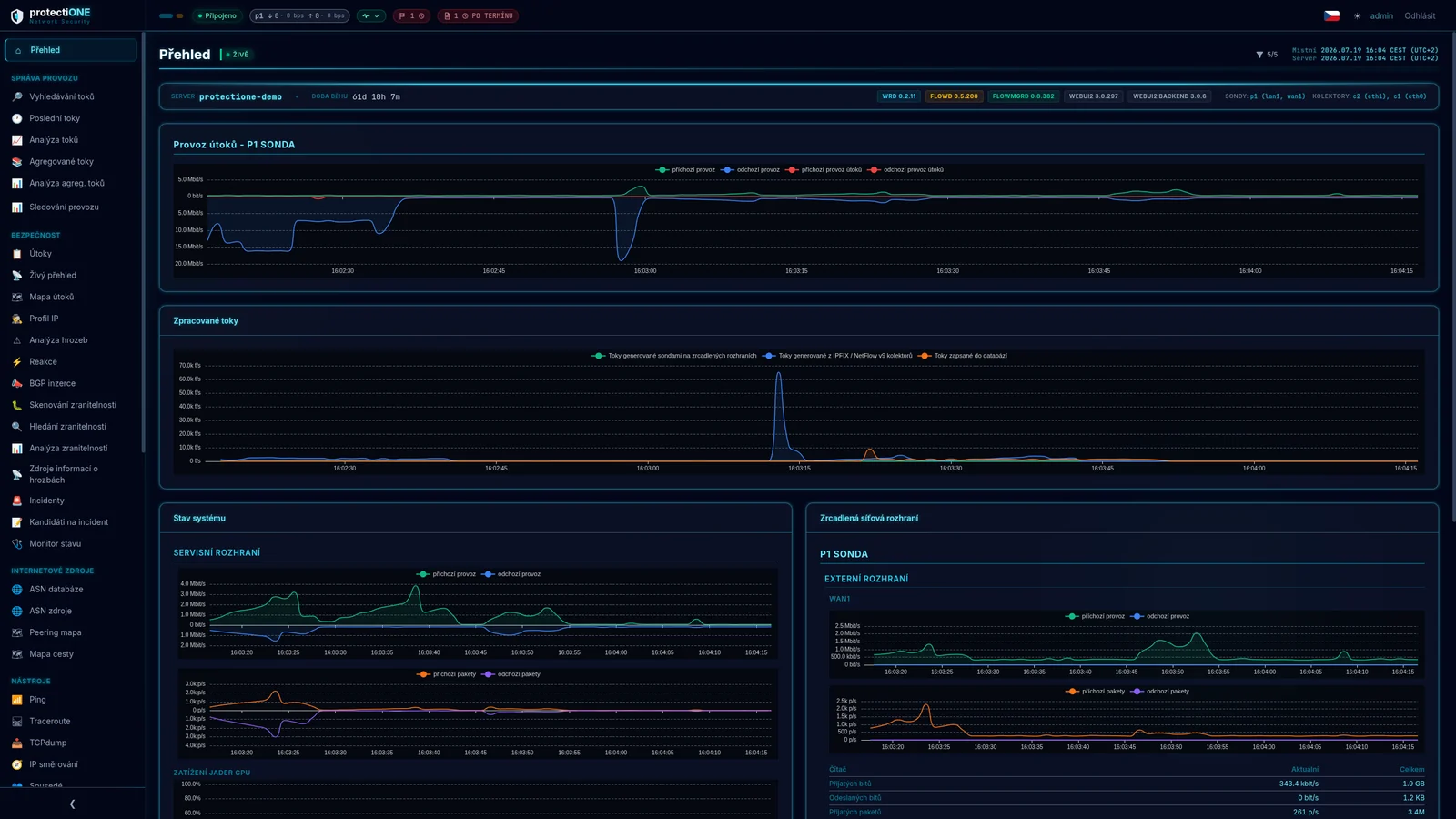
All five areas run on the same data. When a flow record shows a suspicious address, its reputation, ASN, attack history and any link to an open incident are on the same screen.
The recording from a live system follows the path from a flow record to a blocked address and a pre-filled report. A video is fine, but deciding on someone else's data is not — which is why we offer a demo on your own traffic.
We deploy the system into your network and let it run on real traffic. You see your own flows, your own attacks and your own vulnerabilities — not a prepared showcase.
The video is in Czech with Czech subtitles. An English walkthrough is available live.
Request a demo on my dataFor internet service providers and network infrastructure operators — not a general security tool that discovered ISPs later.
Providers running their own network infrastructure across a region.
Operators of municipal networks and metropolitan fibre infrastructure.
Telecommunications operators with complex backbone infrastructure.
Colocation and cloud infrastructure operators.
Connectivity providers for critical government and industrial networks.
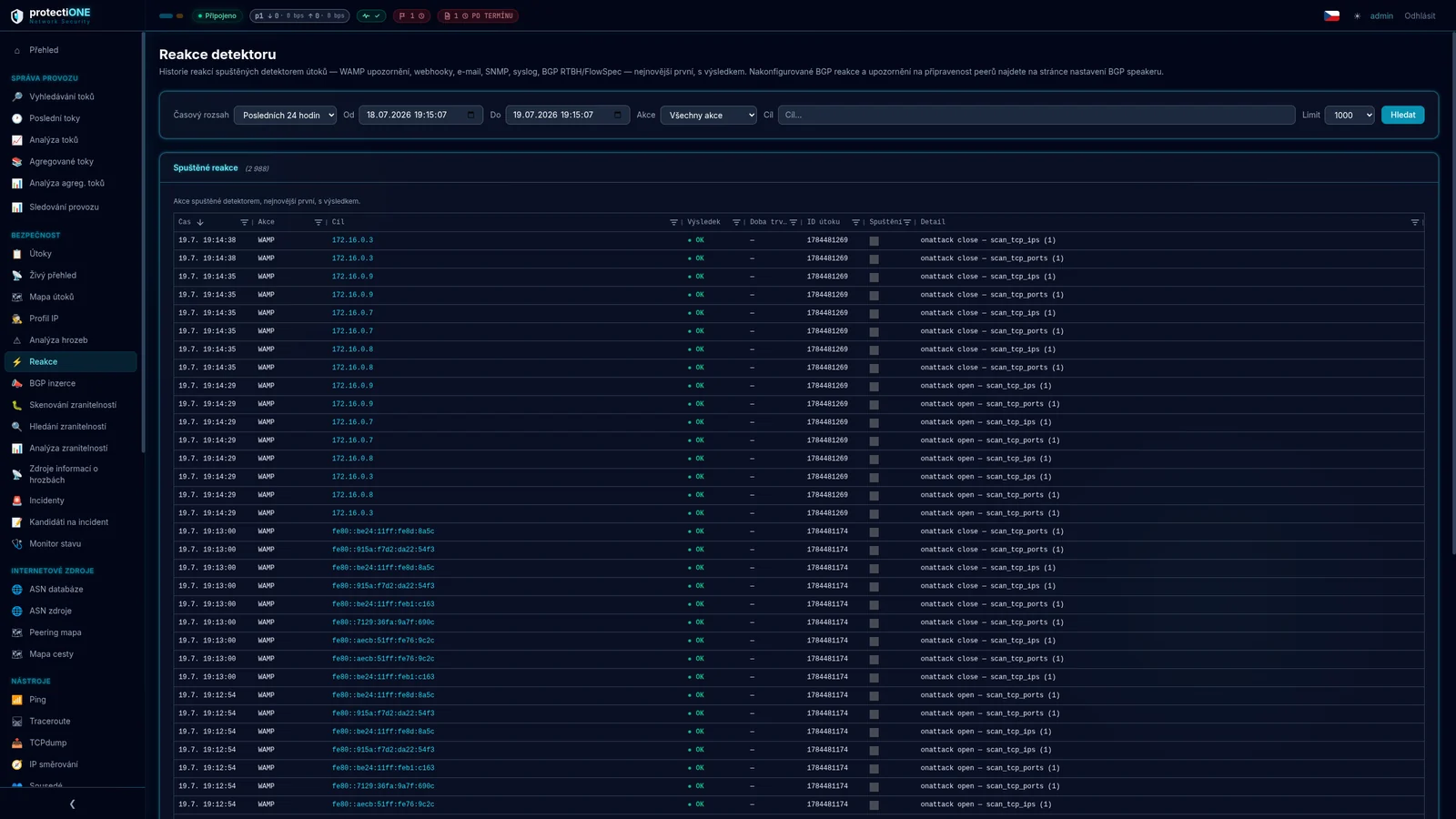
The system does not only detect. It can stop an attack at your upstream peer — before it saturates your uplink.
The system continuously compares what is actually announced in global routing against what prefix holders authorised by signing a ROA. A route covered by a ROA that does not authorise the announcing AS is a strong signal of a prefix hijack, a route leak or a configuration error.
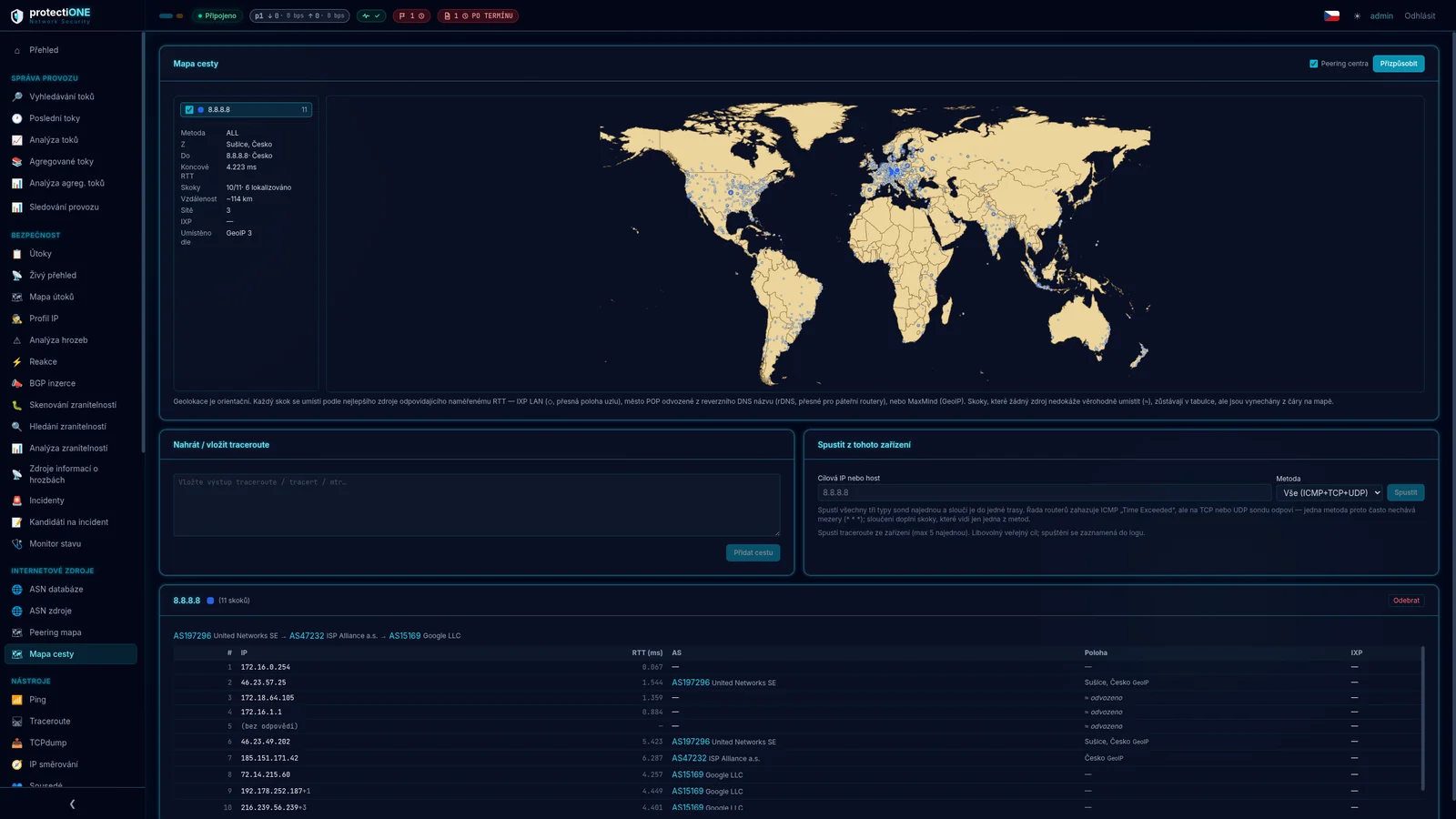
For any IP address you immediately know who owns it, what its ASN reputation is, how traffic reaches it and what relationships that network has. Data is populated from RIPE NCC (5.0 m records), APNIC (1.2 m), LACNIC, AFRINIC and ARIN over RDAP.
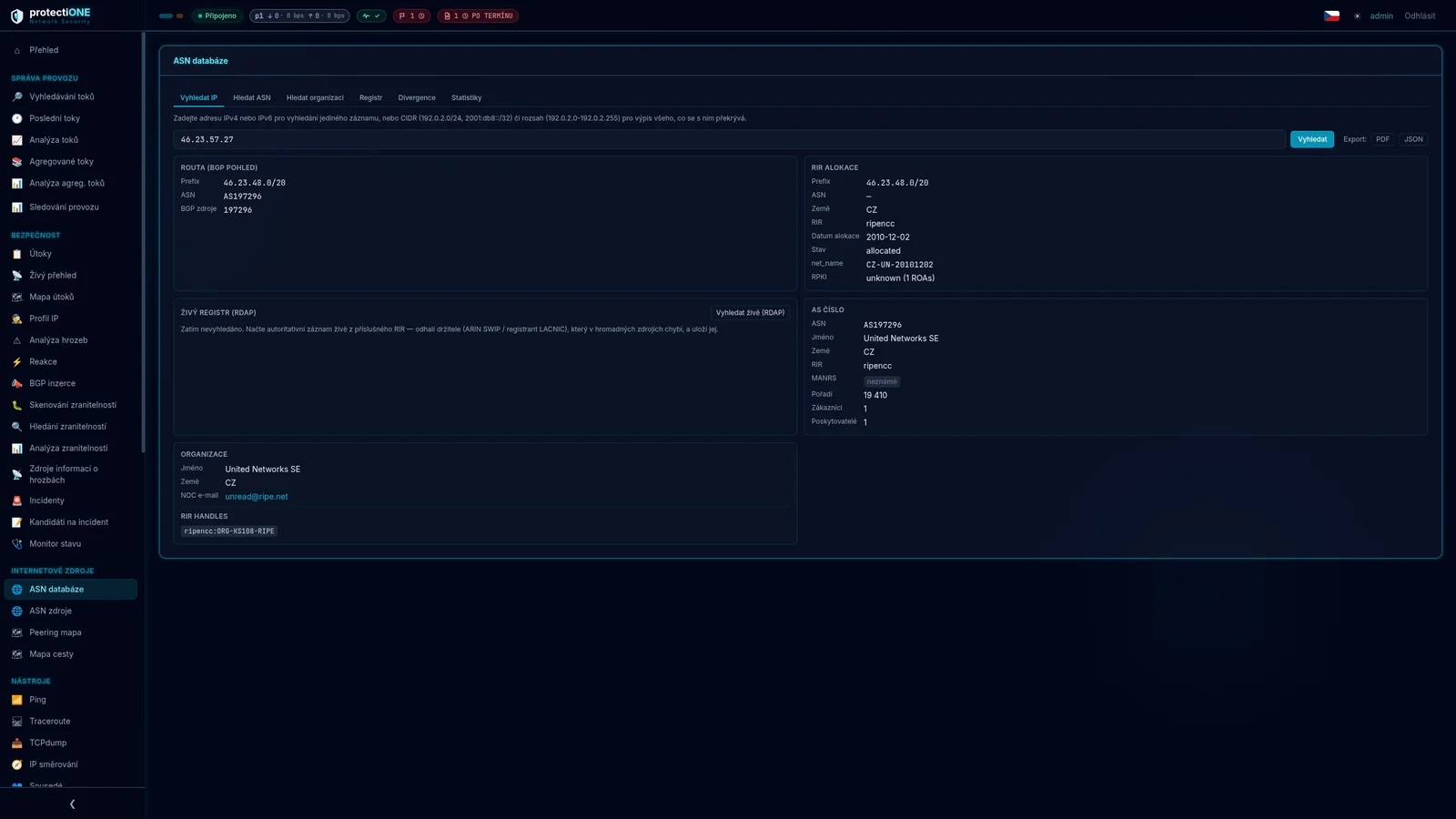
Deep traffic analysis, threat detection, mitigation and regulatory support over a single data set.
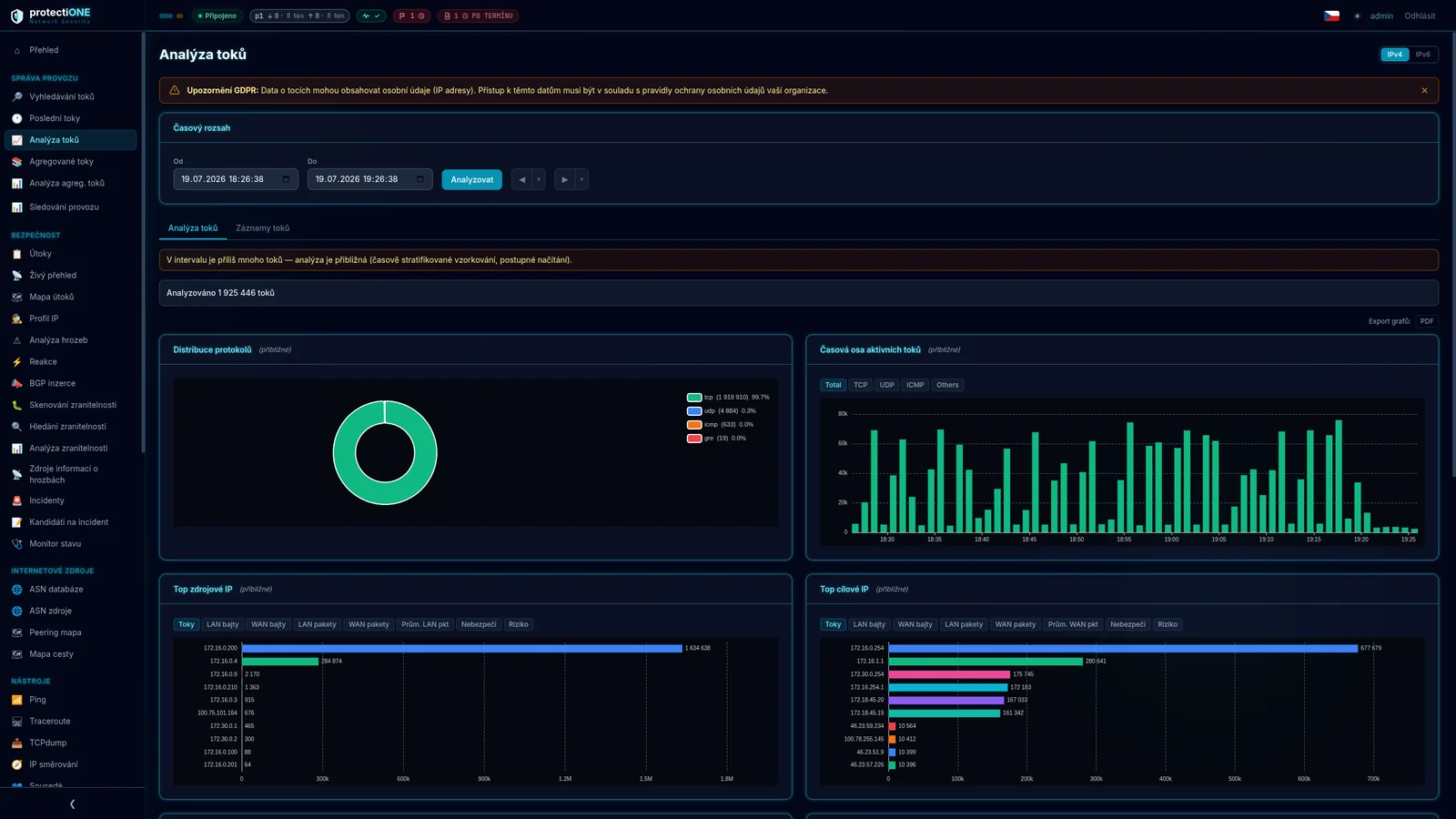
Every IP flow analysed in real time.
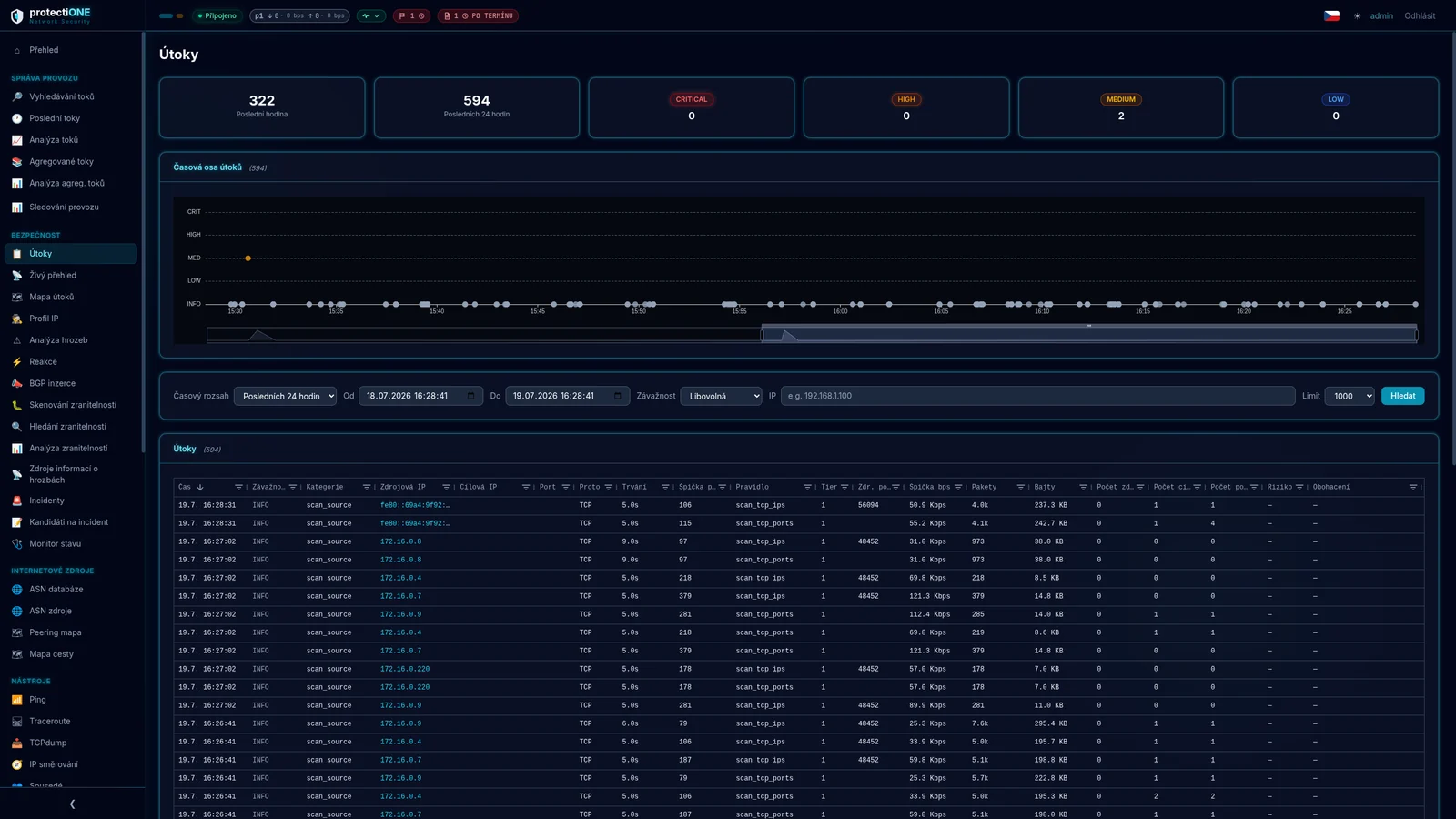
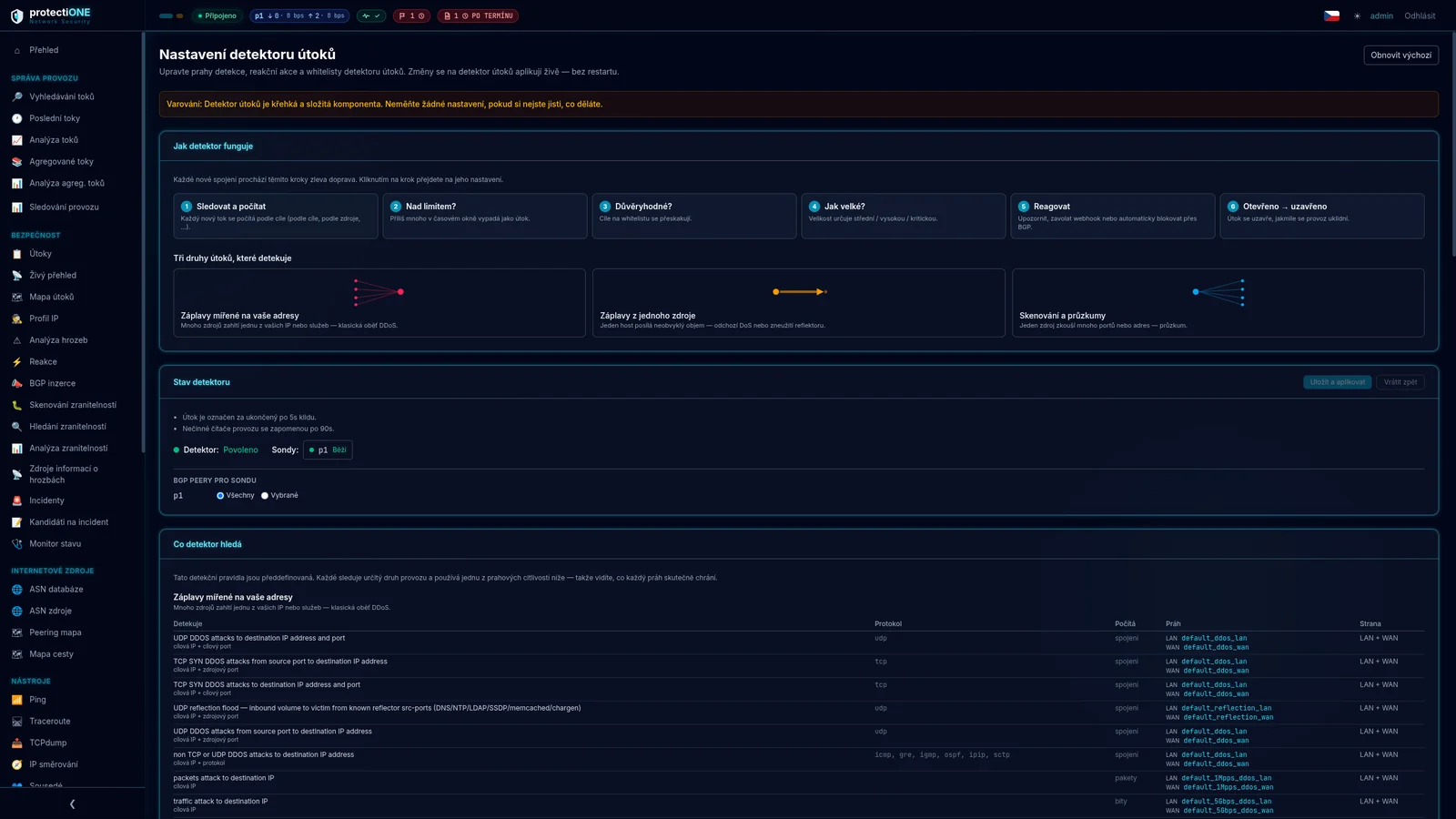
22 predefined rules in three families: floods against your addresses, floods from one of your hosts…
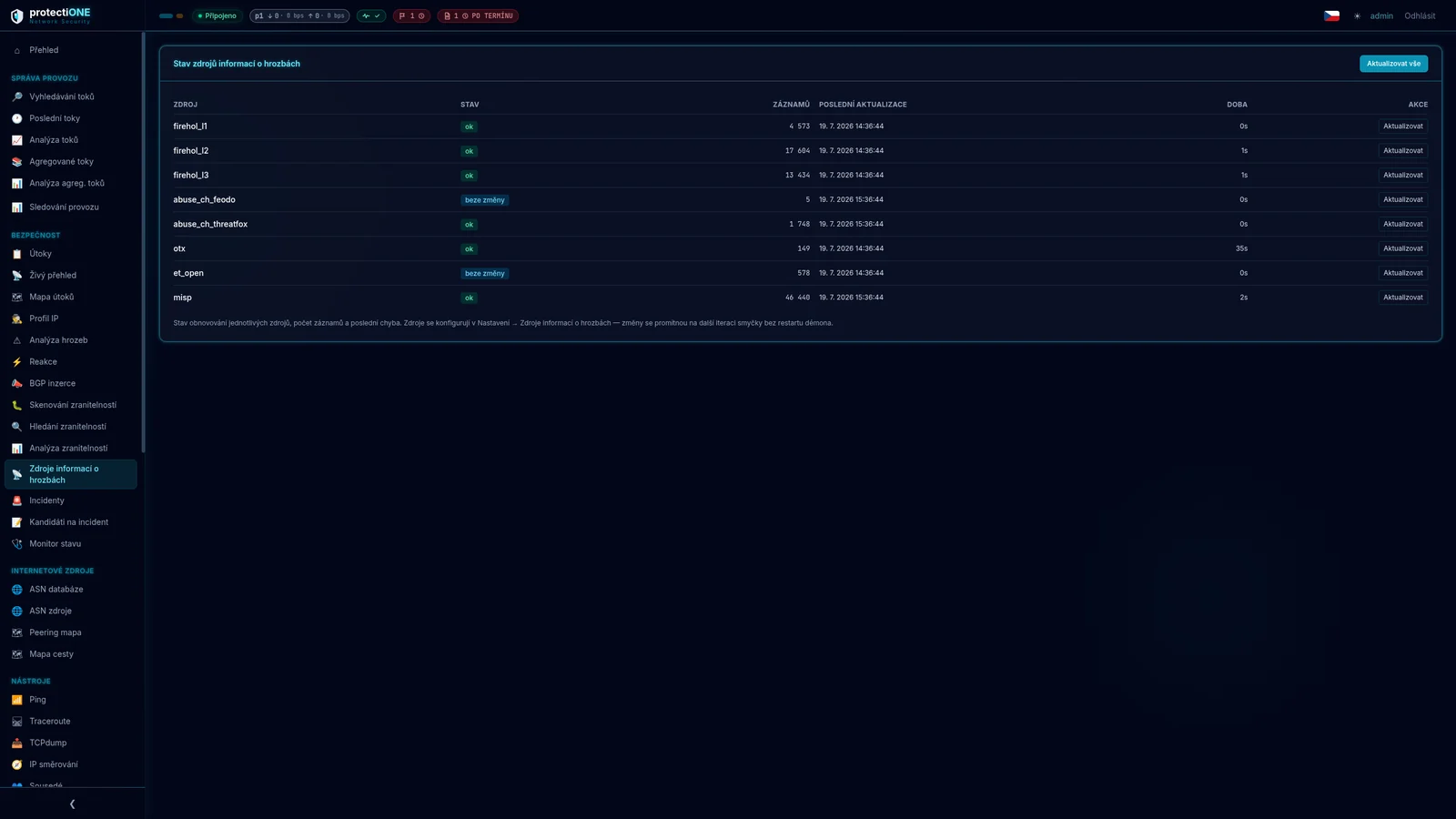
Every flow is enriched with source reputation from eight feeds — FireHOL, abuse.ch Feodo and ThreatFox…
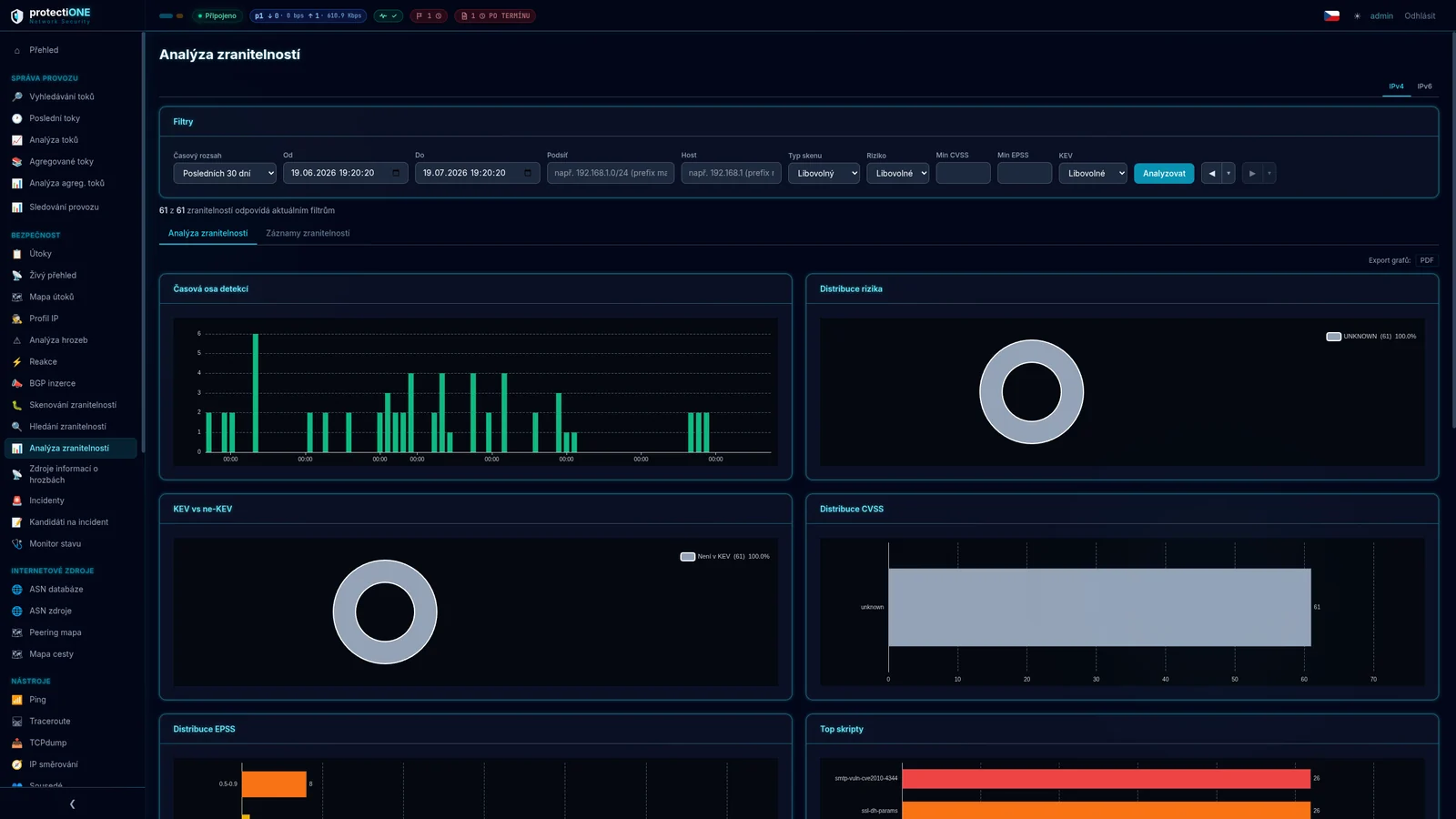
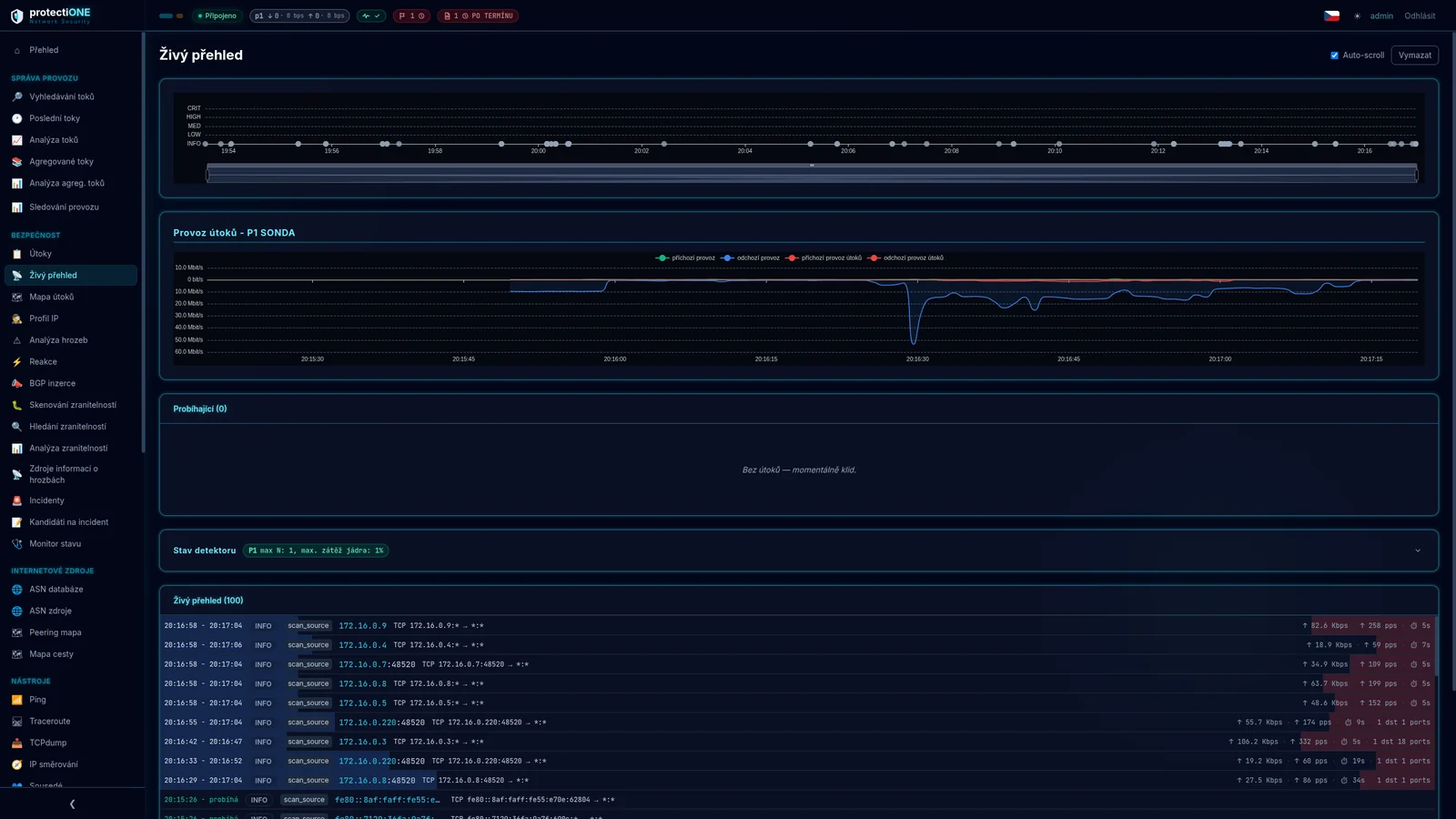
Every detected attack can be taken apart in depth — by its identifier, or by examining…
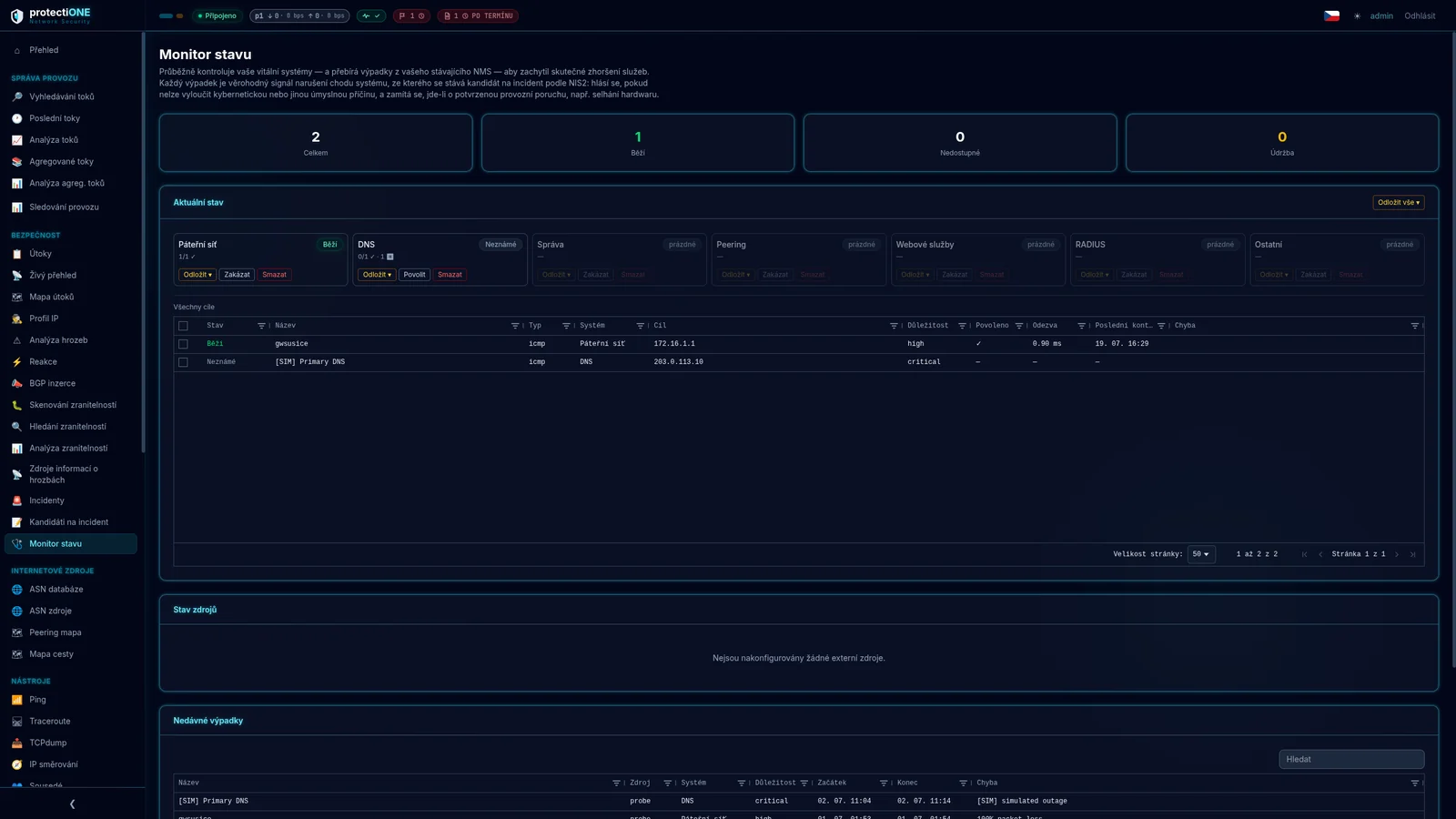
When you are handling an incident at three in the morning, you are not jumping between…
| Capability | Protectione | Conventional NetFlow | SIEM |
|---|---|---|---|
| Flow monitoring | ✓ | ✓ | ~ |
| Data retention | ✓ | ~ | ✕ |
| Threat intelligence | ✓ | ✕ | ✓ |
| Vulnerability management | ✓ | ✕ | ~ |
| Mitigation via RTBH / FlowSpec | ✓ | ✕ | ✕ |
| NIS2 to national law | ✓ | ✕ | ~ |
| RPKI and ASN intelligence | ✓ | ✕ | ✕ |
| ISP specialisation | ✓ | ~ | ✕ |
| Single platform | ✓ | ✕ | ✕ |
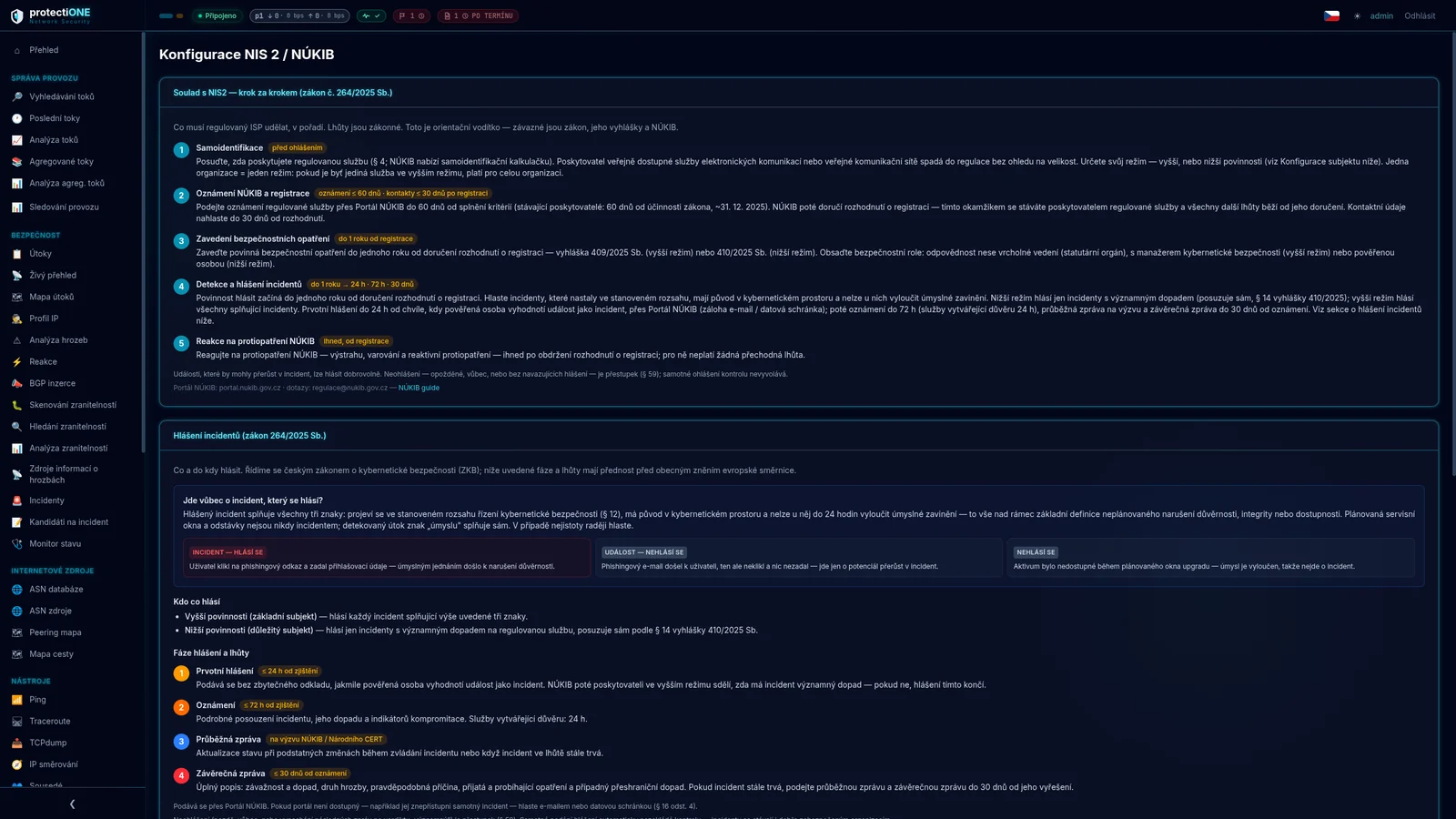
The module goes beyond the general wording of the directive. It implements the Czech transposition — Act 264/2025 Coll. and decrees 409/2025 and 410/2025 Coll. — in detail. The framework of obligations is the same across the EU; we adapt the module to other national transpositions.
A provider of a public communications network or service is regulated regardless of size — the small-enterprise exemption does not apply to you. The regime is decided by company size or reach: higher obligations from 350,000 active SIMs or 100,000 fixed connections, otherwise lower obligations. One organisation means one regime.
A reportable incident has three characteristics at once: it occurred within the scope of security management you defined, it originates in cyberspace, and a deliberate cause cannot be ruled out within 24 hours. The system knows these tests and shows you why one outage must be reported and another must not.
Initial report ≤ 24 h · Notification ≤ 72 h (trust services 24 h) · Interim report on the regulator's request · Status report after 30 days if the incident is still open · Final report ≤ 30 days after resolution. For each stage you see how much time is left — or by how much it is overdue.
Notifying the authority, contact details, security measures within the statutory period, and responding to warnings and reactive countermeasures without delay. Authority contacts, including emergency numbers, sit inside the system, split by your regime.
| Situation | Outcome |
|---|---|
| A user clicked a phishing link and entered credentials | Incident — reportable |
| Phishing arrived but nobody clicked | Event — not reportable |
| Outage during planned maintenance | Not an incident — intent ruled out |
Health Monitor watches service availability and groups outages into candidate NIS2 incidents on its own — with calculated impact and an assessment of whether the cause looks like a cyber attack.
You then simply decide. Dismiss an operational outage. Promote a real incident into a report that is already pre-filled and carries the evidence: which attacks, from which addresses, at what severity.
The statutory clock starts with your decision — until then the system only flags that there is something to assess. We keep that boundary deliberately: what counts as an incident is decided by your responsible officer, not by software.
Failing to report — late, not at all, or omitting follow-up reports — is an offence. Reporting an incident does not itself trigger an inspection; incidents happen to well-secured organisations too.
The system handles traffic up to 100 Gbps. Collection can be split across multiple collectors and probes, so the architecture grows with your network — across sites and data centres.
We run the platform, you connect to it. The fastest route to first data, with no hardware to buy and no changes to your infrastructure.
A server you own: buy it, or lease it through ESSOX — we arrange the financing free of charge. Data never leaves your network; for data retention this is usually the only acceptable option. We supply, deploy and manage it remotely; we handle the manufacturer's warranty claim and keep the key parts in stock.
A detailed description of both options, the minimum hardware requirements and the server price are on the Technical solution page.
Price follows the number of ISP subscribers. No hidden fees. Prices exclude VAT and apply to the 500–1,000 subscriber band; larger networks are priced by band.
Cancel at any time.
Discount on the total price for a two-year term.
Discount on the total price for a three-year term.
Discount when paying a year in advance.
You buy the server outright, or finance it through ESSOX leasing — we arrange the financing for you free of charge. The device goes on your books and you depreciate it; we supply, deploy and manage it remotely. A worked price of EUR 6,000 to EUR 8,800 depending on the size of the disk array; technical specifications and options. We handle the manufacturer's warranty claim for you, keep the key parts in stock, and a failed disk stays with you.
| ISP subscribers | Start | Advanced | Complete |
|---|---|---|---|
| 500–1 000 | EUR 200 | EUR 280 | EUR 400 |
| 1 001–2 000 | EUR 280 | EUR 360 | EUR 520 |
| 2 001–5 000 | EUR 360 | EUR 480 | EUR 640 |
| 5 001–10 000 | EUR 480 | EUR 640 | EUR 800 |
| 10 001–20 000 | EUR 600 | EUR 800 | EUR 1,000 |
| 20 001+ | on request | on request | on request |
Per month, excl. VAT.
For more than 20,000 subscribers we prepare an individual offer. A guaranteed response time (SLA) is a separate service on top of the plan. Euro prices are an indicative conversion at CZK 25/€; the contract currency is agreed at signing.
Czech-language support is part of every tier. Guaranteed response times and guaranteed cloud availability are separate subscriptions. The price of exporting your data is known up front, not only when you leave.
| ISP subscribers | Standard | Business 4 h response · 2 business days to resolve | Critical 1 h response, 24/7 · 24 h to resolve |
|---|---|---|---|
| 500–1 000 | included | EUR 60 | EUR 120 |
| 1 001–2 000 | included | EUR 72 | EUR 140 |
| 2 001–5 000 | included | EUR 80 | EUR 180 |
| 5 001–10 000 | included | EUR 100 | EUR 220 |
| 10 001–20 000 | included | EUR 120 | EUR 280 |
| 20 001+ | included | on request | on request |
Standard — business days 8–17, response by the end of the next business day, e-mail and client portal. Business — business days 8–20 and Saturdays, phone, named contact. Critical — 24/7/365, hotline, escalation to a named engineer, quarterly incident review. Resolution means a fix or a working workaround.
Per month, excl. VAT.
| Level | Monthly availability | Credit if missed | Price |
|---|---|---|---|
| Standard | 99.5 % | 10 % of the monthly fee | included |
| High | 99.9 % | 10 % per band, up to 50 % | +15 % of tier |
Availability is guaranteed for the cloud deployment. With the hardware appliance the system runs in your own infrastructure — we cannot vouch for its power supply or environment. The hardware appliance sits on a mirror port, as a branch off the main path: if it fails you lose visibility, not connectivity. Credits are issued as invoice credit notes.
| Item | Price |
|---|---|
| Regular export from the console (CSV, JSON, PDF) | free, unlimited |
| Full archive export — preparation, verification, handover protocol, up to 1 TB | EUR 400 |
| Each additional TB started | EUR 60 |
| Encrypted drive (your own drive free of charge) | EUR 120 |
| Handover over SFTP, 30-day storage | included |
| Express processing within 72 hours | +50 % |
CSV and Parquet formats, checksums for every file. The prices in force on the date the contract is signed apply. The data is yours and can be exported at any time, not only on termination.
Protectione Network Security is being founded by people from protectiONE Solution and United Networks. Nothing is merging and nothing is being bought — we simply worked out, after years apart, that each of us held one half of the answer to the same question.
At protectiONE Solution we have spent years building data retention for internet providers: probes and collectors, passive deployment through taps and mirroring as well as active inline, the hardware and the paperwork around it. So that retained traffic data holds up the moment a police request arrives. It taught us that meeting the law and having your network under control are not the same thing — and that an operator who already runs probes and a collector is sitting on data that says far more than who talked to whom, and when.
United Networks has been building and running its own network since 2004 — today around thirty thousand homes and businesses in south-west Bohemia and the Rakovník region, fibre and wireless, eight branches, its own field teams, and customer protection handled inside the network rather than on the customer's own devices. This side knows what a night looks like when the uplink fills up. Why you do not touch what is running in the core. And what monitoring is missing long before it shows up on a slide.
Protectione Network Security is what came out of it. One platform instead of five boxes: traffic monitoring, attack detection and mitigation at the upstream, reputation and threat intelligence, vulnerabilities and reporting under NIS2 and the Czech Act 264/2025 Coll. Built by people who did this for years from opposite sides — one for operators, the other on their own network.
The cloud version is deployed within 48 hours, the hardware appliance within a week, depending on device availability. For the cloud all you need is NetFlow or IPFIX export configured on your routers; for the appliance we need rack space and access to a mirrored interface.
Up to 100 Gbps. Collection can be split across multiple probes and collectors, across sites and data centres — the architecture grows with the network, so you do not have to size it up front.
From a mirrored interface, within seconds. Records from IPFIX and NetFlow v9 exporters arrive 15 to 60 seconds after a connection ends, depending on your router configuration — the system evaluates those too and marks them as late, so you can tell what is happening now from what happened a moment ago.
Sensitivity is set with a single control across four levels — from high for quiet networks to very low for backbone and transit, where only a genuinely large attack should raise an alert. Each individual threshold can be tuned separately, and addresses that must never trigger a response go on a whitelist.
For every response you set the severity at which it triggers. The whitelist also works granularly — per IP, port or protocol, and separately for the LAN and WAN side. Active blackholes sit in one table and any of them can be withdrawn with a single click.
Forty-five minutes, online, no commitment. We go through what the platform would look like at your organisation — how many systems it would replace, how NIS2 reporting would work for you, and what it would mean for your team. Walkthroughs are one-to-one, so the answers are specific rather than generic.
| Length | 45 minutes |
| Format | Online video call |
| Attendees | Your team, as many as you need |
| For | ISP owners, CTOs, network and security teams |
| Price | Free, no commitment |
After you send the form we get back to you within one business day to agree a time that suits you.